1600 Lumen Trionic LED Front Light with Battery Pack

This manual both shows how you attach the light holder and the light on a Walker (left column below) and also how you attach them on a Veloped (right column below).

In the left-hand photo, A shows the holder attachment parts for a Walker (2 screws + 2 washers). B shows the holder attachment parts for a Veloped (1 screw + 1 knurled nut + 1 nut).

1600 Lumen Trionic LED Front Light with Battery Pack

Attaching the Light Holder

Instructions for a Walker
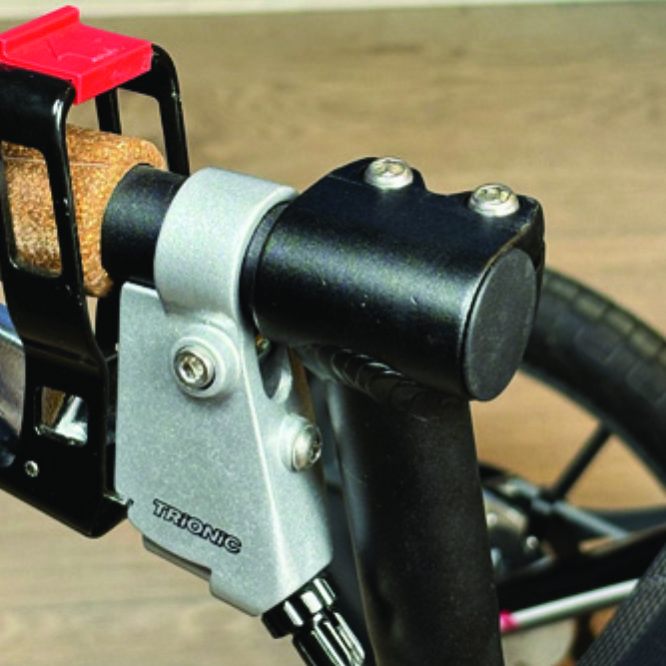
On top of the black semi-vertical tube, locate the two screws that clamp the grip tube, situated in front of the brake lever.
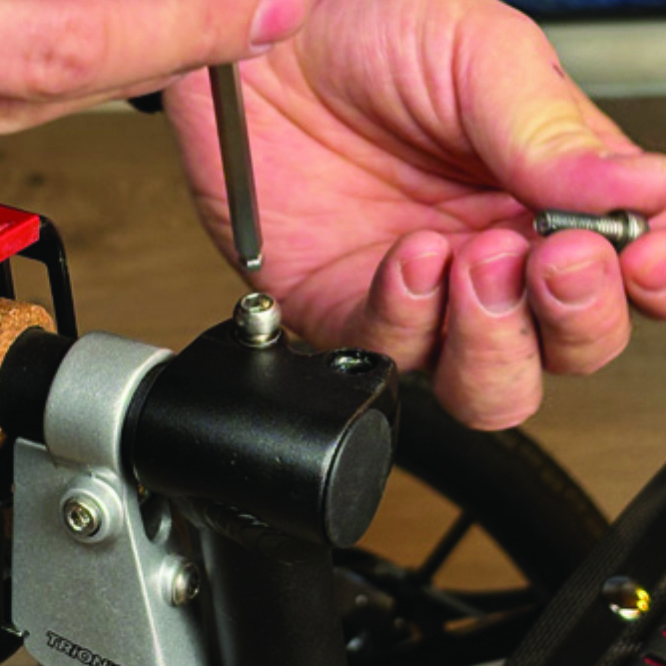
A1. On top of the black semi-vertical tube, locate the two screws that clamp the grip tube, situated in front of the brake lever.
Loosen both screws with the 5mm allen key included with the LED light.
A2. Loosen both screws with the 5mm allen key included with the LED light.
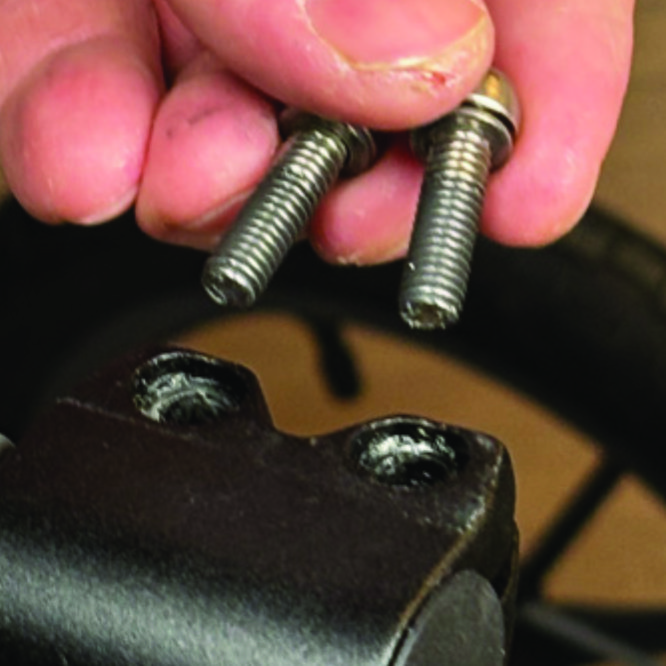
Remove the two screws from the grip clamp.
A3. Remove the two screws from the grip clamp.
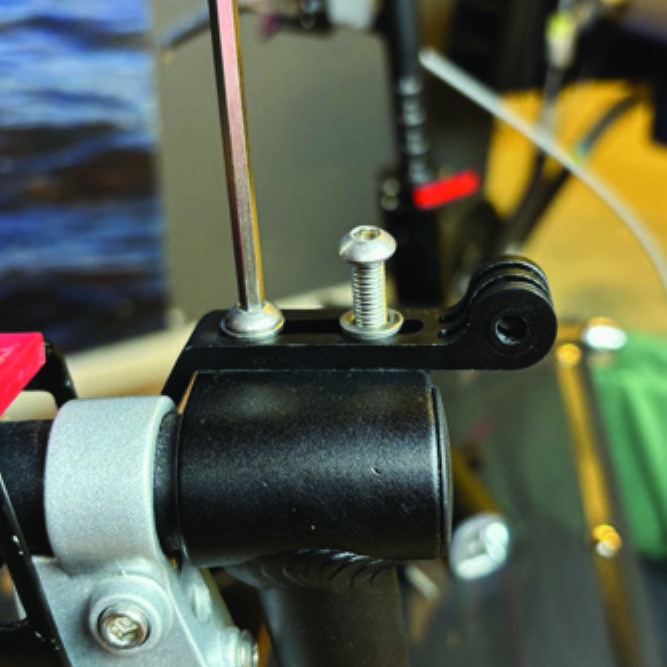
Place the light holder on top of the grip clamp, with its circular and slotted light attachment pointing forwards and upwards. Enter the two screws with washers into the holes of the clamp.
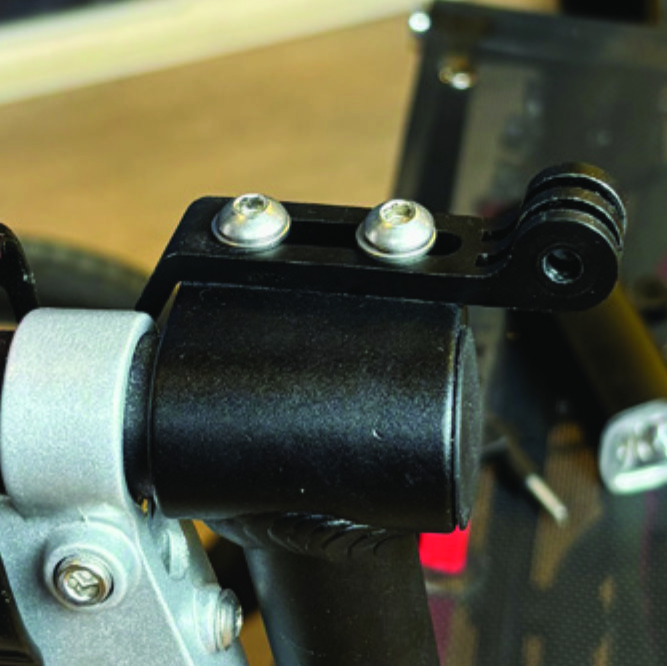
A4. Place the light holder on top of the grip clamp, with its circular and slotted light attachment pointing forwards and upwards. Enter the two screws with washers into the holes of the clamp.
Tighten the two screws with the 5mm allen key. NOTE: It is important that you tighten the screws properly as they secure the grip tube with its rubber grip and brake lever.
A5. Tighten the two screws with the 5mm allen key. NOTE: It is important that you tighten the screws properly as they secure the grip tube with its rubber grip and brake lever.

Instructions for a Veloped
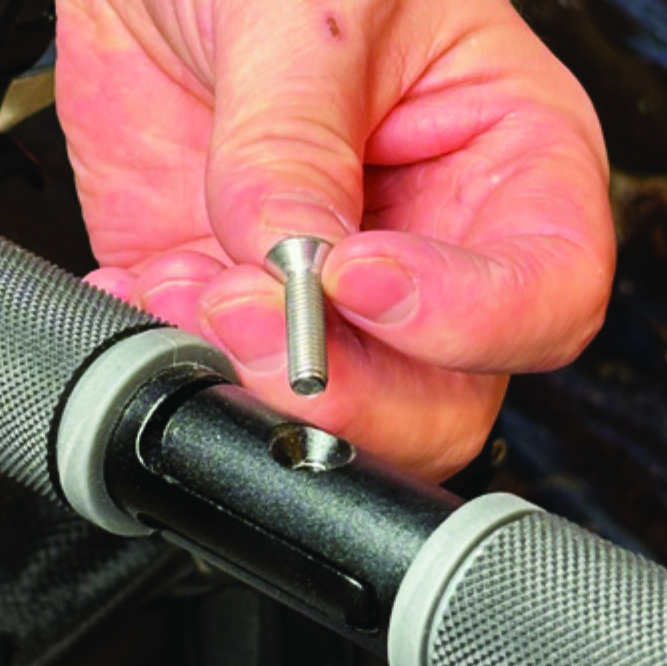
Locate the screw at the center folding hinge of the U-shaped grip bar of the Veloped. Unscrew the screw with the included 4mm allen key and remove it.
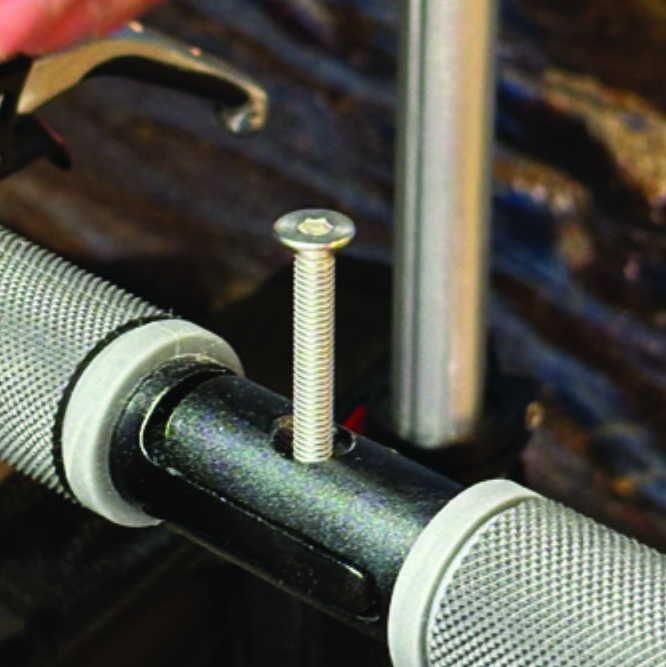
A1. Locate the screw at the center folding hinge of the U-shaped grip bar of the Veloped. Unscrew the screw with the included 4mm allen key and remove it.
Replace the old screw with the longer screw included with the LED light. Attach the longer screw to the hinge and tighten it with the 4mm allen key.
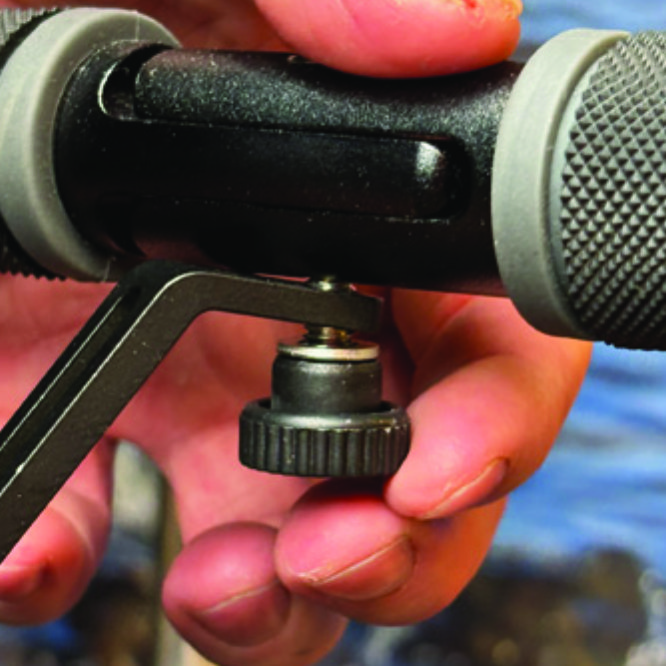
B2. Replace the old screw with the longer screw included with the LED light. Attach the longer screw to the hinge and tighten it with the 4mm allen key.
Attach the short angled end of the light holder to the lower end of the screw, on the downside of the grip bar. Fasten the holder with one washer and the knurled nut.
B3. Attach the short angled end of the light holder to the lower end of the screw, on the downside of the grip bar. Fasten the holder with one washer and the knurled nut.
For a more secure holder attachment, avoiding the holder to unintentionally turn sideways, replace the knurled nut with the included stainless steel nut and tighten it with a 10mm spanner.
B4. For a more secure holder attachment, avoiding the holder to unintentionally turn sideways, replace the knurled nut with the included stainless steel nut and tighten it with a 10mm spanner.
This photo shows the light holder as correctly attached.
B5. This photo shows the light holder as correctly attached.

Attaching the LED Light to the Holder

Instructions for a Walker
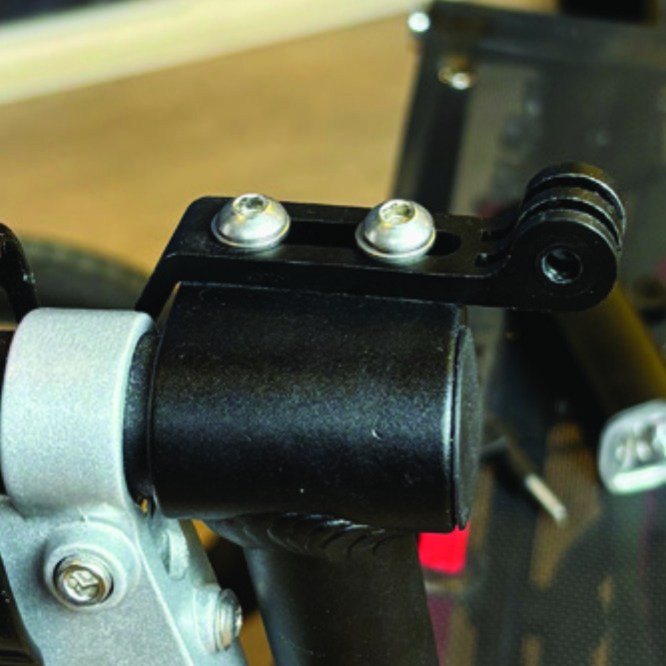
Identify the circular front end of the light holder, with two slots for attaching the light.
A6. Identify the circular front end of the light holder, with two slots for attaching the light.
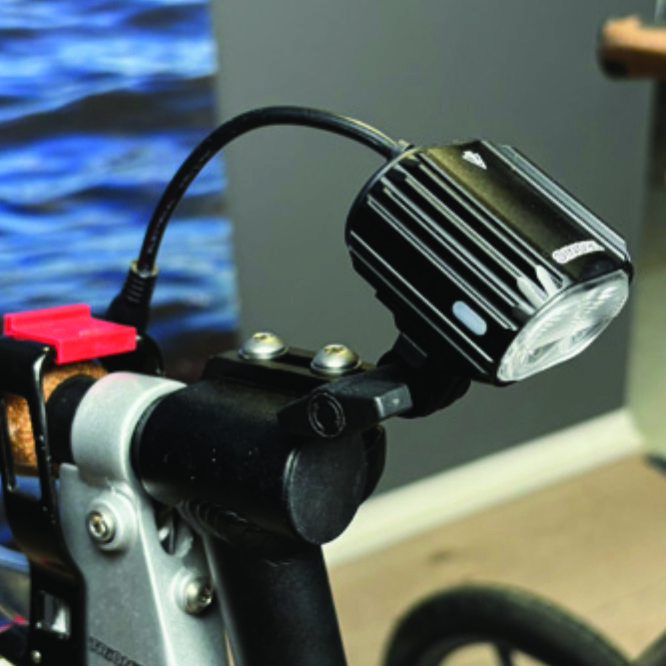
Push the slotted bracket of the light into the slots of the holder and make sure they are aligned. Seen in the traveling direction of the Walker, enter the included wingnut from the left and tighten it.
A7. Push the slotted bracket of the light into the slots of the holder and make sure they are aligned. Seen in the traveling direction of the Walker, enter the included wingnut from the left and tighten it.

Instructions for a Veloped
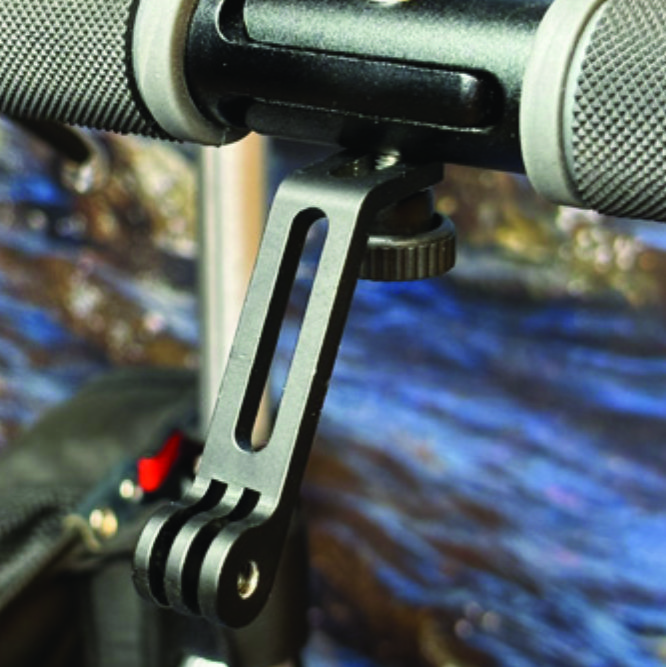
Locate the screw at the center folding hinge of the U-shaped grip bar of the Veloped. Unscrew the screw with the included 4mm allen key and remove it.
B6. Locate the screw at the center folding hinge of the U-shaped grip bar of the Veloped. Unscrew the screw with the included 4mm allen key and remove it.
Identify the circular front end of the light holder, with two slots for attaching the light.
B7. Identify the circular front end of the light holder, with two slots for attaching the light.

Placing the Battery Pack

Instructions for a Walker
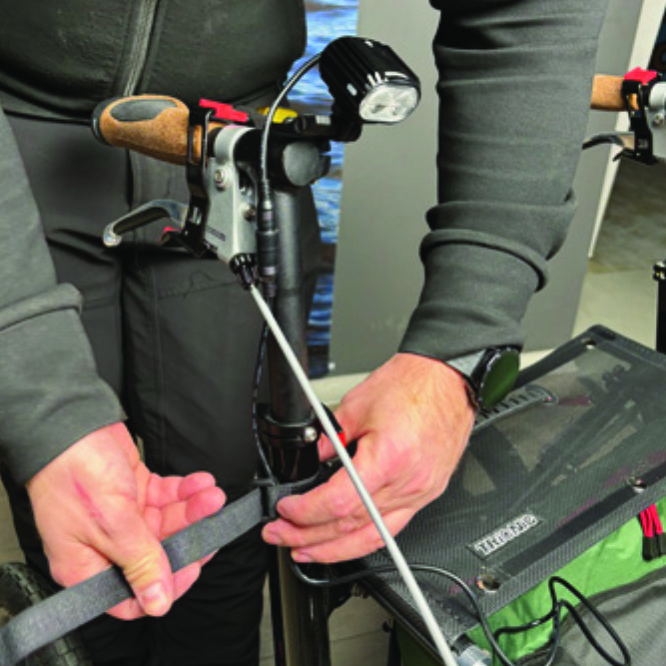
Run the longer extension cable along the semi-vertical grip tube of the Walker and secure it with the included velcro strap.
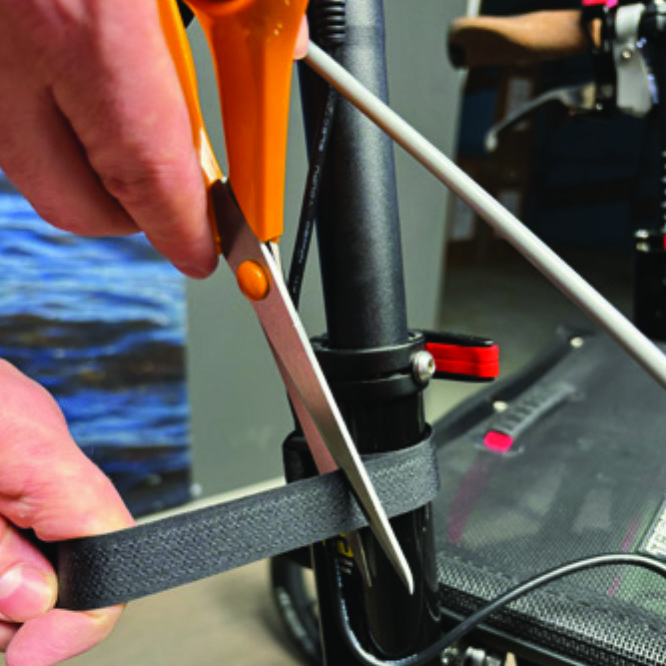
A8. Run the longer extension cable along the semi-vertical grip tube of the Walker and secure it with the included velcro strap.
You can cut the excessive length of the velcro strap with a pair of scissors.
A9. You can cut the excessive length of the velcro strap with a pair of scissors.
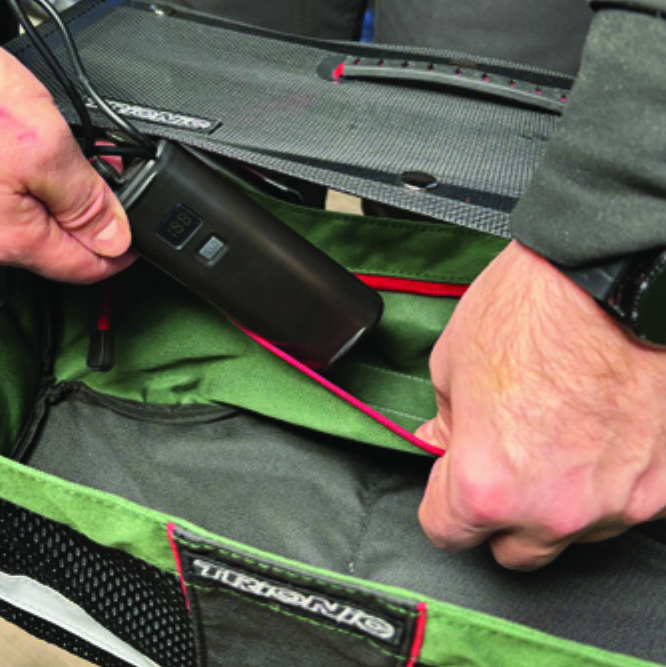
Place the battery pack in the rear zippered pocket of the basket.
A10. Place the battery pack in the rear zippered pocket of the basket.

Instructions for a Veloped
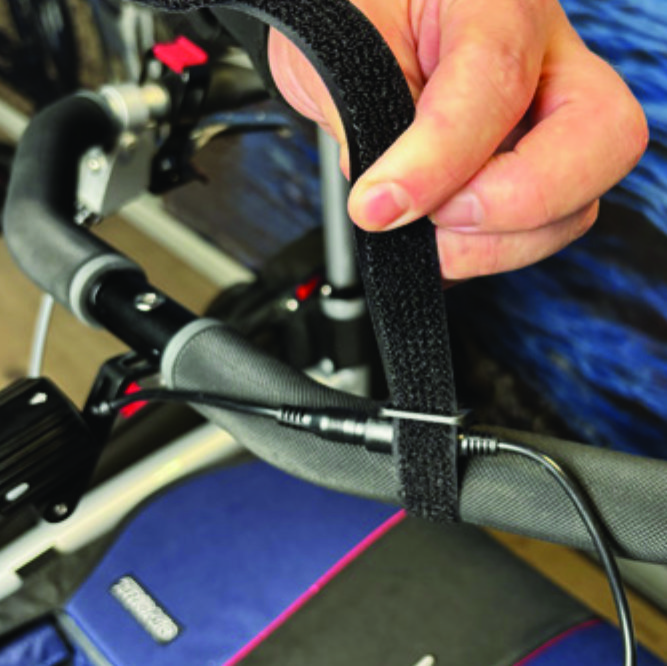
Run the longer extension cable along the U-shaped grip bar of the Veloped and secure it with the included velcro strap.
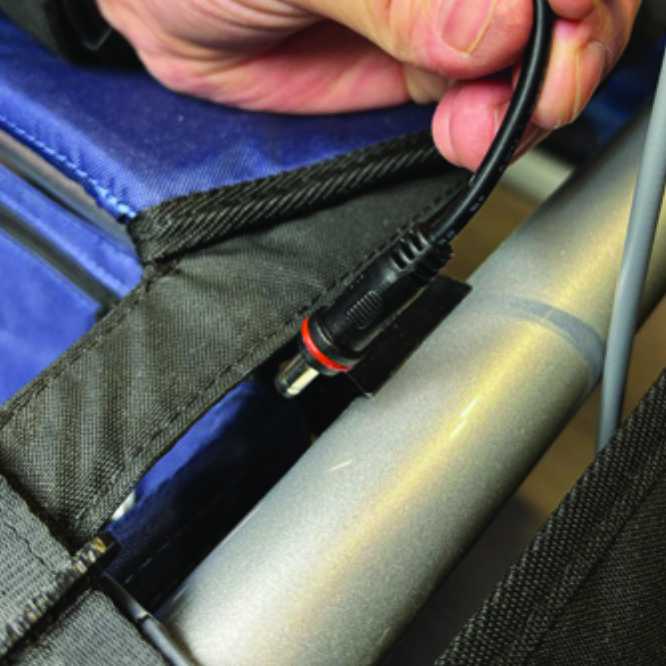
B8. Run the longer extension cable along the U-shaped grip bar of the Veloped and secure it with the included velcro strap.
You can cut the excessive length of the velcro strap with a pair of scissors.
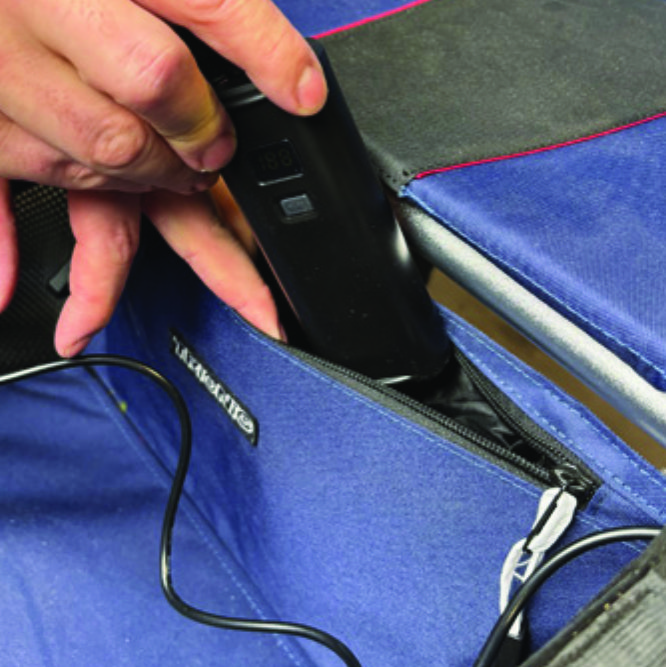
B9. You can cut the excessive length of the velcro strap with a pair of scissors.
Place the battery pack in the rear zippered pocket of the basket.
B10. Place the battery pack in the rear zippered pocket of the basket.

The package contains

The package contains

How to operate the light

How to operate the light

Product Reviews    

  • Great help…

    Since I have not used any other rollators, I cannot provide a comparative description. My walker meets all my expectations and makes me feel safe. The big wheels have so far mastered every path without any problems. My Walker accomplishes fully all t…

  • Haemophilus…

    This Walker is so much better than the one supplied by the NHS. It is quieter, very stable and easily adjusted. It fits on the back seat of our car easily. Provided the front wheels are in the right position it is easy to set up for use. It provides …

  • Mrs Anne Ross…

    I have found freedom with this wonderful Veloped walker. No longer trapped inside I can walk the uneven country lanes. So very grateful to your design team.…

  • These walkers are reliable...…

    These walkers are reliable and provide stability and support during walking.

    They are robust and easy to manoeuvre, making them an excellent mobility aid.…

  • Trionic Veloped Tour…

    I am extremely happy with your product. From order to delivery has.been superb. It arrived when you said it would. To the spec I ordered.complete and beautifully packed for shipping. I could not be more happy with the quality of the product..
    what …

  • Hi Stefan & Johan, buying Your product was for me a life-changing decisi…

    Hi Stefan & Johan,

    In April of this year, I ordered a Veloped Sport 14er M, having been impressed by your informative advertising material.

    As promised my Veloped arrived within two weeks. It was well packaged in a sturdy box & only needed the…

  • An excellent help for my illness…

    I am thrilled with the high-quality production and fully assembled delivery of the Veloped. With a height of 194 cm, I can walk very well on it and have a firm footing even in the wind. Direct contact to Trionic by email works very well.…

  • Walker 14…

    After a femur fracture, I am forced to use a walker.
    Following three spinal canal operations, my feet suffer from weakened plantar muscles.
    The walker is easy to handle. The video in the advertisement is true to reality. I chose the cork handles be…

    Walker Cane Holder
    by Kurt Penke
  • I've had the Veloped since November 2023...…

    I've had the Veloped Tour since November 2023. It's so great for me to be able to participate in life again. I've been undergoing immunotherapy for three years, which has weakened my muscles. But by walking with the Velped, I can compensate for a lot…

Subscribe to our newsletter!

"> ?>